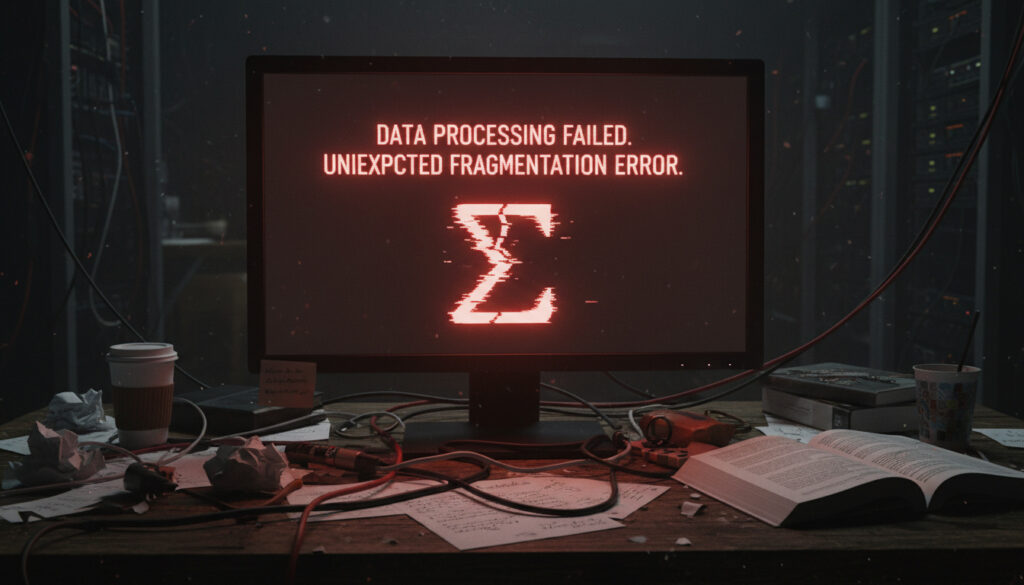
#ERROR! – Understanding Formula Parse Errors
Intro
Formula parse errors are among the most common yet misunderstood issues in spreadsheet tools, database languages, and programming environments. A single misplaced character can halt an entire workflow, leaving users searching for the cause. This article breaks down what a formula parse error actually means, where it typically occurs, and how professionals approach resolution without guesswork.
Grid
Parse errors appear in a variety of contexts—Excel, Google Sheets, SQL engines, Python expressions, and even custom-built financial models. The underlying cause is almost always a mismatch between what the user typed and what the interpreter expects. That gap can stem from incorrect syntax, mismatched parentheses, missing operands, or unexpected data types.
- Spreadsheet applications (Excel, Google Sheets)
- Database query languages (SQL, MDX)
- Programming languages (Python, JavaScript, R)
- Financial and statistical modeling tools
Insights
Experts note that the majority of formula parse errors are not logic mistakes—they are structural ones. A missing closing parenthesis or an extra comma can cause the entire expression to fail before any evaluation takes place. This distinction matters because it shifts the debugging focus from “what did I mean?” to “what did I type?”.
Table
| Error Type | Common Cause | Typical Context |
|---|---|---|
| #ERROR! | Formula parse error — general syntax failure | Google Sheets, Excel |
| #VALUE! | Wrong data type used in an expression | Spreadsheets |
| #NAME? | Unrecognized function or named range | Excel |
| SyntaxError | Invalid expression structure in code | Python, JavaScript |
Details
A formula parse error occurs when the interpreter cannot make sense of the input at the syntactic level. Unlike runtime errors that happen during execution, parse errors are caught before any calculation begins. This means the entire formula is rejected, and no partial result is returned. In Google Sheets, for example, the #ERROR! indicator often points directly to the cell where the parser failed, giving users a clear starting point for correction.
Timeline
Parse errors have existed as long as formula-based systems. Early spreadsheet programs in the 1980s handled them with simple error codes. Modern platforms have improved error messaging, but the fundamental challenge remains: users must translate their intent into a syntax the machine can interpret. As tools become more powerful—supporting array formulas, lambda functions, and cross-references—the potential for parse errors grows alongside the complexity.
Clarity
Understanding the difference between a parse error and a logic error is essential. A parse error means the formula cannot even be read. A logic error means the formula runs but produces an incorrect result. This distinction guides the troubleshooting approach: parse errors require syntactic fixes, while logic errors require rethinking the formula itself.
Analysis
When a parse error appears, the most effective response is systematic. Check parentheses pairs, verify that all functions are spelled correctly, and ensure that strings are properly quoted. Many modern editors provide real-time syntax highlighting and bracket matching, which can catch these issues before the formula is even entered. Still, parse errors remain a frequent frustration because they interrupt flow and often appear cryptic to new users.
Quotes
“A formula parse error is the spreadsheet’s way of saying ‘I don’t understand that sentence.’ It’s not a judgment on the idea—it’s a breakdown in communication.”
— Senior Data Analyst, Financial Services
“The moment you see #ERROR!, stop looking at the numbers and start looking at the syntax. Nine times out of ten, it’s a missing comma or a misplaced quote.”
— Lead Engineer, Data Platform Team
Summary
Formula parse errors, represented by indicators such as #ERROR!, are syntax-level failures that prevent a formula from being evaluated. They are distinct from runtime or logic errors and are usually resolved by careful inspection of the formula structure. Across spreadsheets, databases, and code environments, the same principles apply: check parentheses, verify function names, and confirm data types. With practice, these errors become quick to diagnose and fix.
FAQ
What is a formula parse error?
A formula parse error occurs when a spreadsheet or programming language cannot interpret the syntax of an expression. It is a structural mistake, not a logical one.
How is #ERROR! different from #VALUE! or #NAME? in spreadsheets?
#ERROR! is a general parse error indicating the formula syntax is invalid. #VALUE! appears when the wrong data type is used, and #NAME? appears when a function or named range is not recognized.
Can a parse error happen in programming languages?
Yes. In languages like Python or JavaScript, a SyntaxError is equivalent to a parse error—the interpreter cannot understand the code structure and refuses to run it.
What is the fastest way to fix a parse error?
Check parentheses and quotes first. Then verify function names and argument separators. Many editors provide error highlights that point directly to the problem character.
Does a parse error mean the formula is completely wrong?
No. It means the formula cannot be read. The underlying logic may be perfectly sound once the syntax is corrected.
Poimi tästä
 Ismo Alanko – Legenda, Keikat 2026 ja Tunnettujen Kappaleet
 Minna Canth sitaatit – Tunnetuimmat Lauseet ja Nykykäyttö
 Motonet Oulu Aukioloajat – Vasaraperä ja Ritaharju 2025
 Murha Sandhamnissa rooleissa – Kattava opas kauden 11 näyttelijäkaartiin
 Marimekko Oiva – Suunnittelija, kuosit ja hoito-ohjeet
 K-Rauta Vantaanportti – Uudet kauppiaat 2025